PREPARING YOUR LINEART FOR COLORING
STEP 1:
Start with your cleaned black and white line art. Select all (ctrl+a), then copy (ctrl+c).
STEP 2:
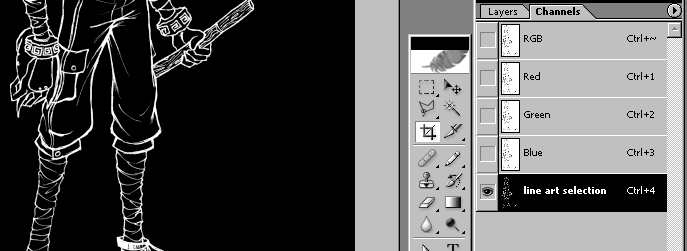
Go to the Channels window. Create a new channel and name it Line Art Selection. Paste your line art into this channel. Invert it (ctrl+i).
STEP 3:
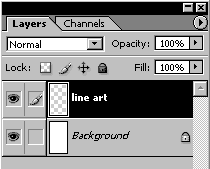
Go back to the Layers window. Fill your Background layer with a solid color, then make a new transparent layer. Name it Line Art.
STEP 4:
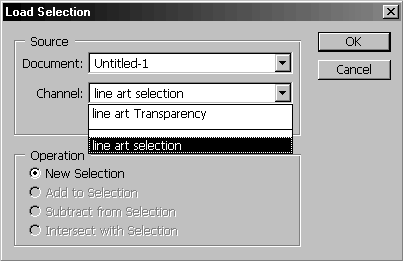
Go to the Select Menu -> Load Selection. In the Channel drop-down, select the Line Art Selection channel. Press OK.
STEP 5:
Your line art should now appear as the "marching ants" around a selection. Pick a color for your line art (it doesn't have to be black), and fill the selection.
STEP 6:
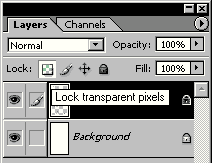
Turn on the Transparency Lock on your line art layer by clicking on the icon that looks like a 3x3 checkerboard at the top of the Layers window. Now if you want to paint different parts of your lineart different colors, you can just swipe the paintbrush or airbrush over the lines without having to worry about accuracy.

STEP 7:
Make one or more new layers between the Line Art and the Background layers, and begin coloring!